

Master Your Selfie Stick: Unlock the Secrets to Flawless Live Streams and Video Calls!
In recent years, selfie sticks have evolved from being mere accessories for personal photography to indispensable tools for live streaming and video calls. With the rise of content creation and virtual communication, having the right tools has never been more crucial. A well-placed selfie stick can elevate the quality of your streams and calls, allowing for more dynamic angles and better engagement with your audience. In this article, we will delve into effective techniques and tips for using a selfie stick to enhance your live streaming and video call experiences. Whether you're connecting with friends, family, or a broader audience, mastering your selfie stick can make all the difference.
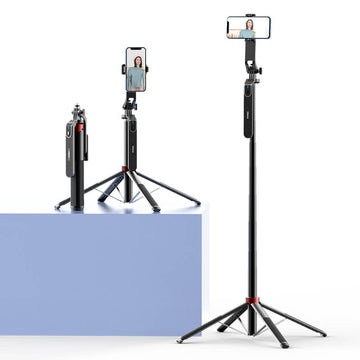
Understanding Selfie Sticks
A selfie stick is a telescoping device designed to hold a smartphone or camera at a distance, allowing users to capture self-portraits or group shots more easily. The basic functionality of a selfie stick involves extending the camera away from the user, which provides a wider field of view. There are several types of selfie sticks available, ranging from simple manual models to sophisticated ones that come with built-in tripods, wireless remotes, and adjustable angles. For live streaming and video calls, a selfie stick is particularly useful as it enables you to maintain a stable position while capturing your best angle. It can also help you engage with your audience more effectively by allowing you to move around while keeping the camera at a strategic distance.
Setting Up Your Selfie Stick for Optimal Use
Setting up your selfie stick for live streaming and video calls is straightforward but requires attention to detail for optimal results. Start by securely attaching your device to the mount on the selfie stick. Ensure that the grip is tight enough to prevent any accidental drops. Next, adjust the height of the selfie stick to suit your needs. A higher angle may capture a better view of your surroundings, while a lower angle can provide a more intimate feel. It's also essential to adjust the angle of the camera; a slight tilt can often enhance the framing of your face and engage your audience more effectively. Remember, proper setup can drastically improve the quality of your streams and calls.
Adjusting Settings for Different Scenarios
When using a selfie stick for live streaming and video calls, it’s important to adjust your device settings for various environments. For indoor use, adjust your camera settings to optimize for low light if necessary. Most smartphones have a setting for low-light conditions that can help brighten your video without introducing too much noise. Conversely, when filming outdoors, ensure that your camera's exposure is set to handle bright sunlight, which can wash out the image. Also, consider the audio settings; in noisy locations, use an external microphone for clearer sound, while quieter settings may allow you to use your device’s built-in microphone.
Techniques for Flawless Live Streaming and Video Calls
Enhancing the quality of your video calls and live streams involves several key techniques. First, ensure that your lighting is adequate; natural light is often the best option, so try to position yourself facing a window. If you're streaming at night, consider investing in softbox lights or ring lights that provide even illumination. The background is equally important; choose a clean and uncluttered space that doesn’t distract from your message. Camera framing is crucial—position your selfie stick to capture your face and upper body, allowing for expressive gestures without losing the connection to your audience. Lastly, to avoid shaky footage, practice holding your selfie stick steady or consider using a model with stabilization features.
Common Mistakes to Avoid
When using a selfie stick for streaming, several common pitfalls can detract from your experience. One major mistake is neglecting stability; a shaky camera can make your video unpleasant to watch. Ensure that your selfie stick is firmly positioned and that you’re holding it steadily. Another common issue is poor audio quality; remember that background noise can interfere with your communication, so choose your location wisely and consider external microphones for clarity. Additionally, be mindful of your background; a distracting environment can draw attention away from your message. Taking the time to avoid these mistakes will significantly enhance the professionalism of your streams and calls.
Maximizing Your Selfie Stick Experience
In conclusion, mastering the use of a selfie stick can significantly improve your live streaming and video call experiences. From understanding the functionality of different types of selfie sticks to setting them up for optimal performance, each step contributes to a polished presentation. Remember to adjust your device settings according to your environment and experiment with lighting, background, and framing to enhance your video quality. By avoiding common mistakes and embracing the power of practice, you can make the most of your tools, ensuring more effective communication and engagement with your audience. Embrace the journey of learning and enjoy the creative possibilities that come with using a selfie stick!








